

How to Display Income & Expense A/c Instead of Profit & Loss for Non-Commercial Entities in TallyPrime
Description
Non-commercial entities such as trusts, associations, societies, and clubs do not operate with a profit motive. Instead of a Profit & Loss Account, these organizations prepare an Income & Expense A/c to reflect their financial performance.
TallyPrime provides a configuration option that allows you to display the Income & Expenditure Account in place of the Profit & Loss Account. This article explains how to enable this setting using a simple configuration in the ledger master.
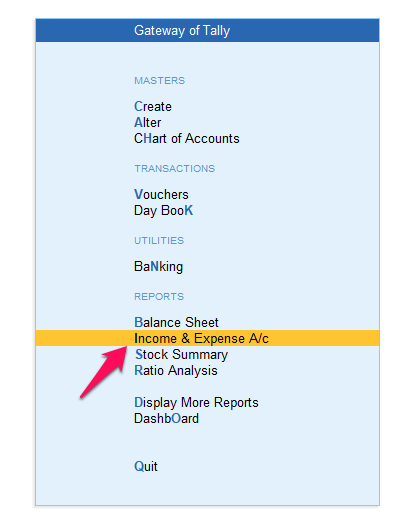
Steps to Configure Income & Expenditure Account in TallyPrime
Follow the steps below to configure TallyPrime to use the Income & Expenditure Account:
Go to Gateway of Tally
Open TallyPrime and navigate to the Gateway of Tally screen.
Alter the Ledger Master
From Gateway of Tally, go to:
Masters → Alter → Ledger
Select the Profit & Loss Ledger
From the list of ledgers, select Profit & Loss A/c.
Enable Income & Expenditure Account
In the ledger configuration screen, set:
Use Income & Expenditure A/c? → Yes
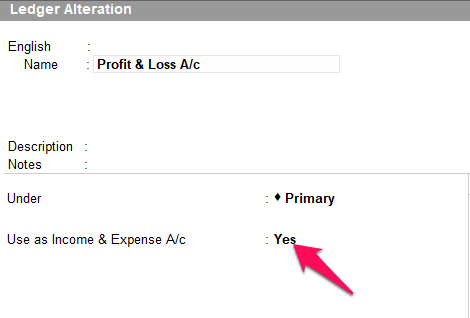
Save the Ledger
Press Ctrl + A to save the changes.
Result
Once the configuration is enabled, TallyPrime will display the Income & Expenditure Account instead of the Profit & Loss Account, making the financial statements suitable for non-commercial and non-profit entities.